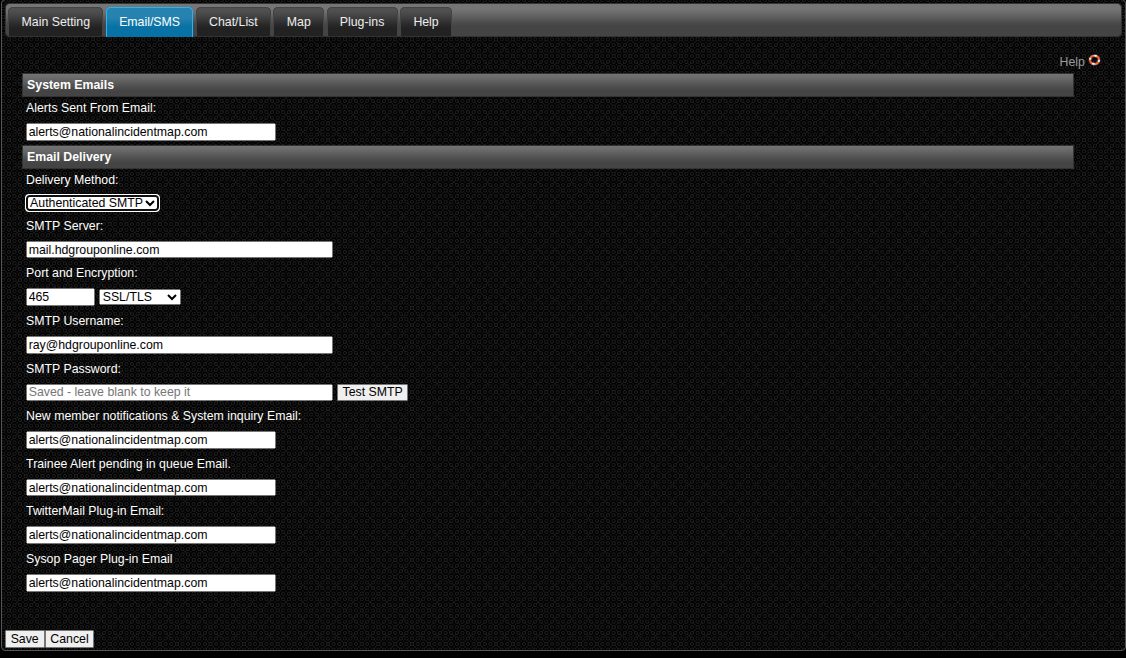
Alerts Sent From Address
- This is the address your alerts will use for a return address. It is important that this be an address that is monitored as any undelivered email notifications will be sent here. If you do not address undelivered emails, your overall system will get a bad reputation and the effectiveness of alerts sent will diminish.
Delivery Method:
- You have 2 choices.
- PHP Mail, this setting all alerts are sent from the our server.
- Authenticated SMTP: This allows you to send from any SMTP server you have access too. If you send a high volume of alerts you may want to look into a dedicated SMTP provider like Amazon, Mailgun Brevo, or SMTP2go. Our server limits per hour to avoid being reported as a spam server.
New Member Notification:
- This is an email address that will receive an email from the system when someone signs up for a membership. You can use this address to setup and auto response. Like an email welcoming them to the system and steps the need to take.
Trainee Alert Pending:
- This address will receive an email from the system when a trainee has entered an alert into the system. This allows the recipient to log into the system and approve the alert to go out.
TwitterMail Plugin:
- If you are using TwitterMail and the TwitterMail Plugin, this is the address given to you by TwitterMail.
Note: Spam blocking is a problem for the IMAS system especially when using the email to SMS gateways. To avoid this be sure to monitor your undelivered notifications. Be sure to remove members that do not wish to receive notifications and members whose addresses have become undeliverable. I would also suggest that high priority members use a service like PushOver.net , Ntfy.org or our own IMAS android app this will allow notifications to be sent directly to members smartphones.